
Catch the idea before it’s gone.
Hit record the moment something comes to you. Sort it out later, exactly the way you think about your music, and find it again as fast as you saved it.
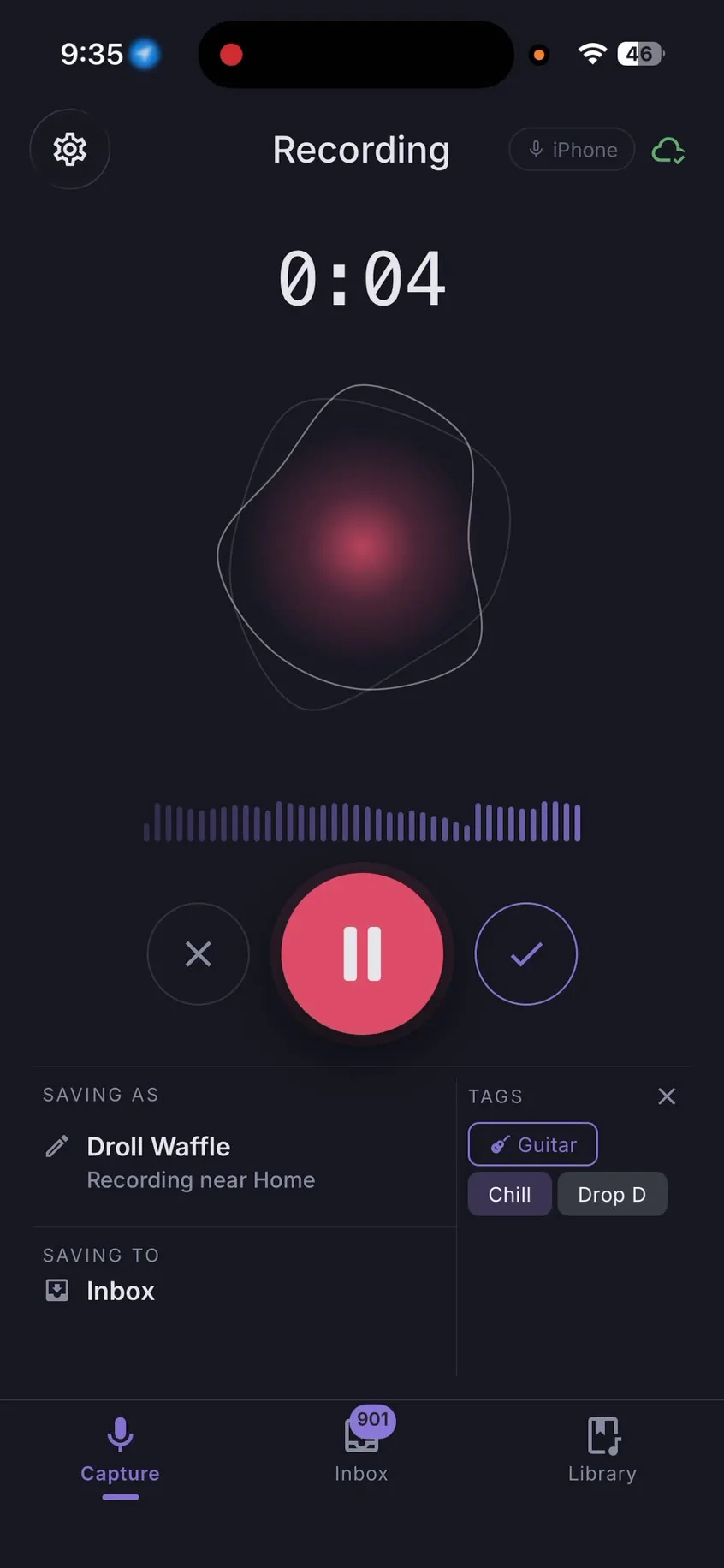
Speed when the idea arrives. Order when you come back for it.
Record first. Decide where it goes later.
One tap and you’re recording. No picking a folder, naming a file or choosing a project while the riff is still in your hands. Everything lands safely in your library and waits for you to sort it when you’re ready.
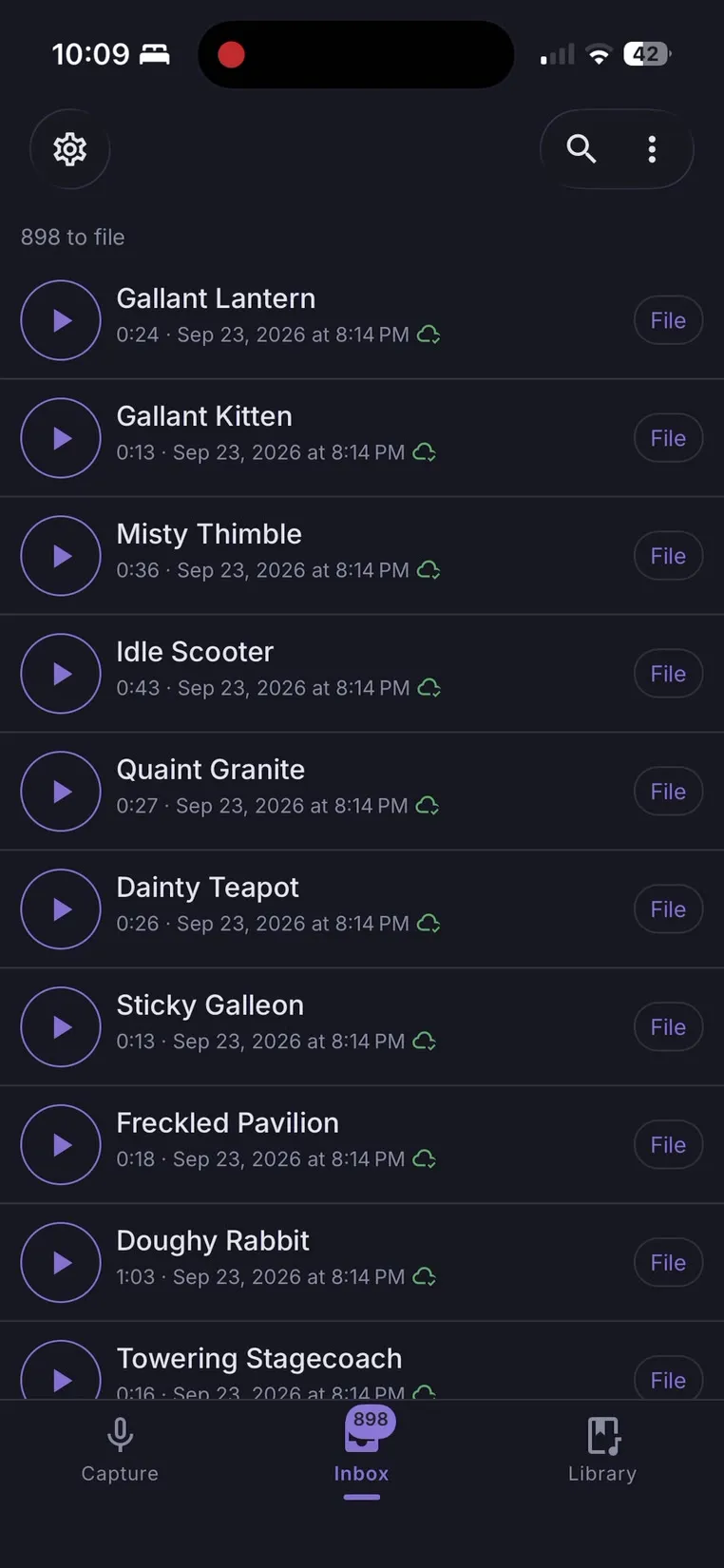
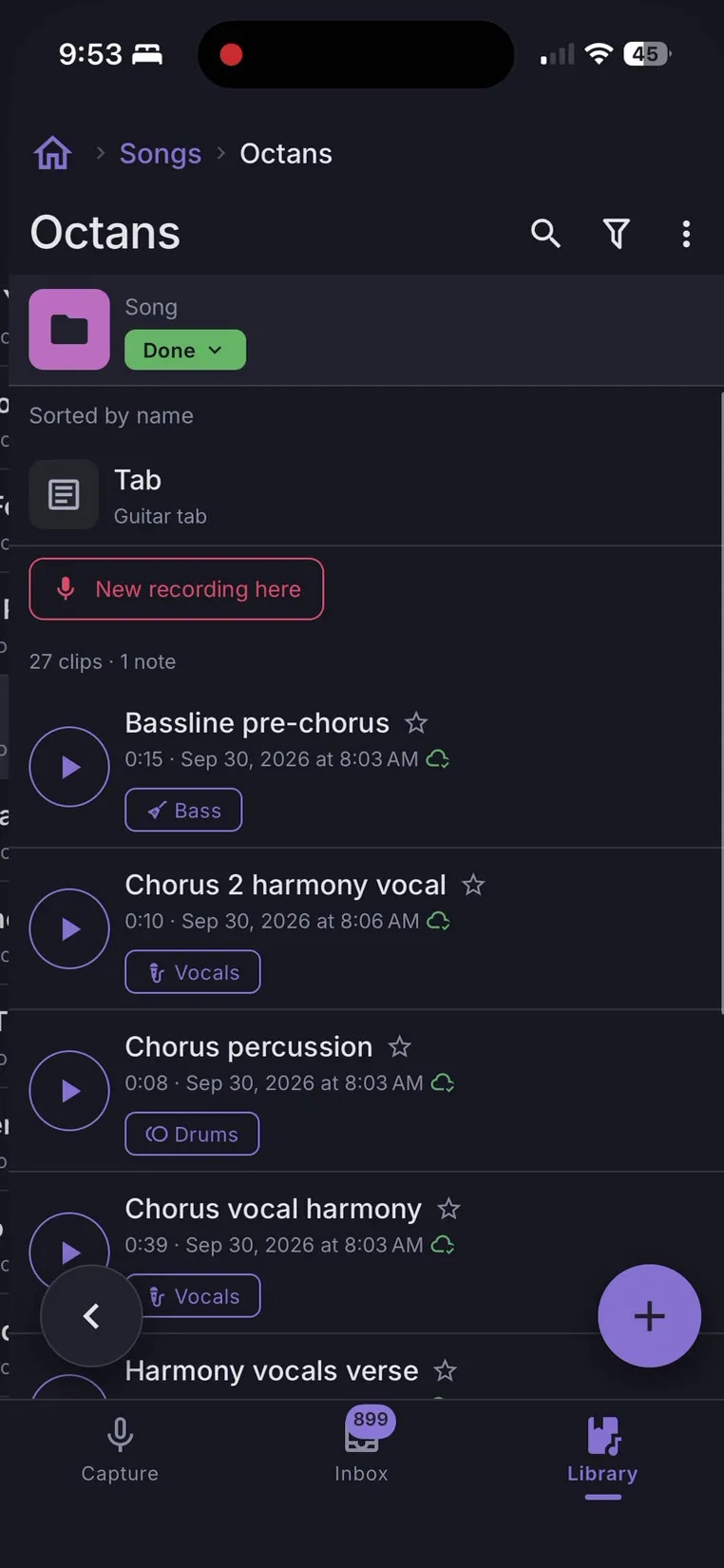
Folders that work the way you do.
Nest folders as deep as you like. Sort by album, by song, by band, by year, or by whatever system lives in your head. Keep audio clips and written notes side by side, so the lyric and the melody stay together.
Tags, moods and instruments on every clip.
Label a clip with your own tags, the mood it carries and the instruments you played. Every recording is also tagged automatically with where it was made, so the idea from the soundcheck in Denver is easy to pick out.
- Tags
- chorusbridge idea
- Mood
- Melancholy
- Instruments
- Acoustic guitarVoice
- Location
- Denver, CO · added automatically
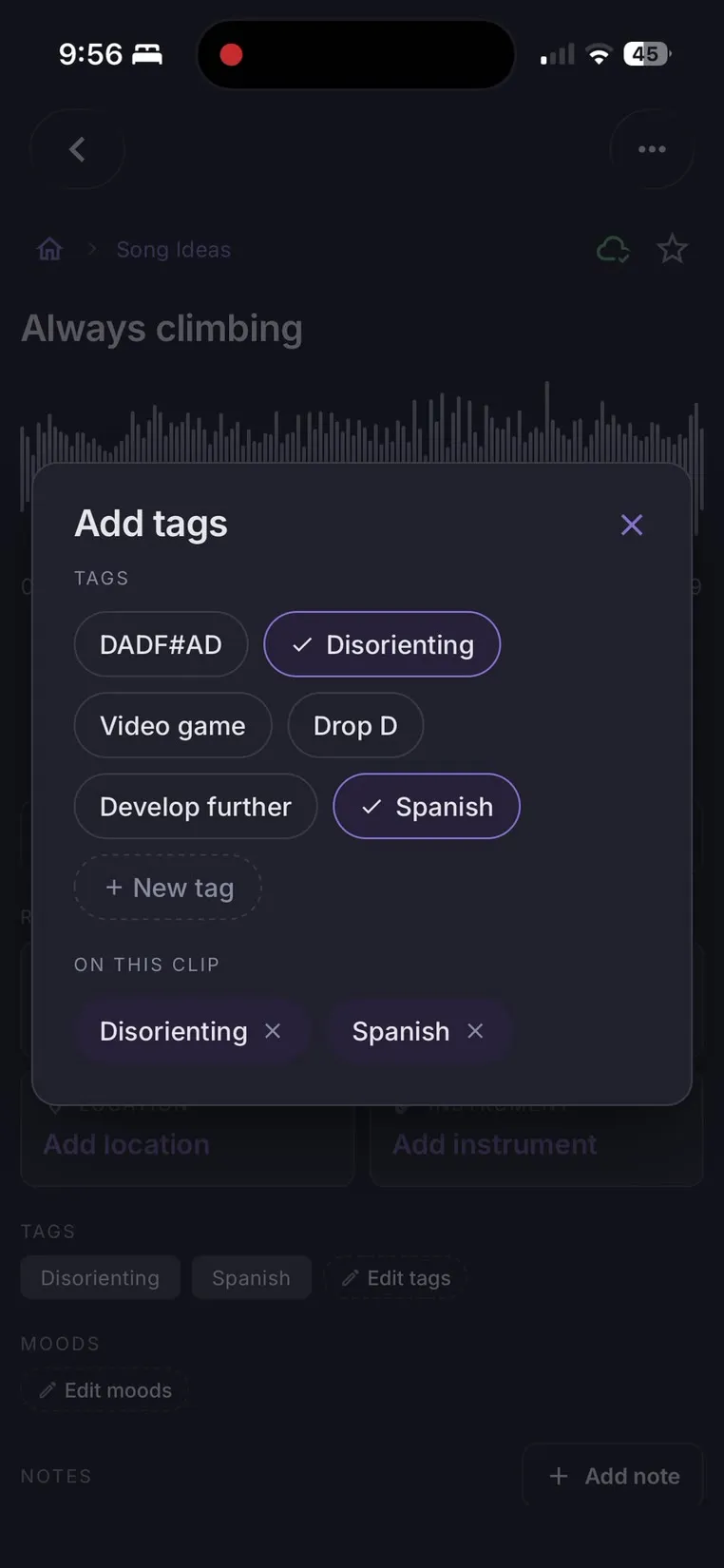
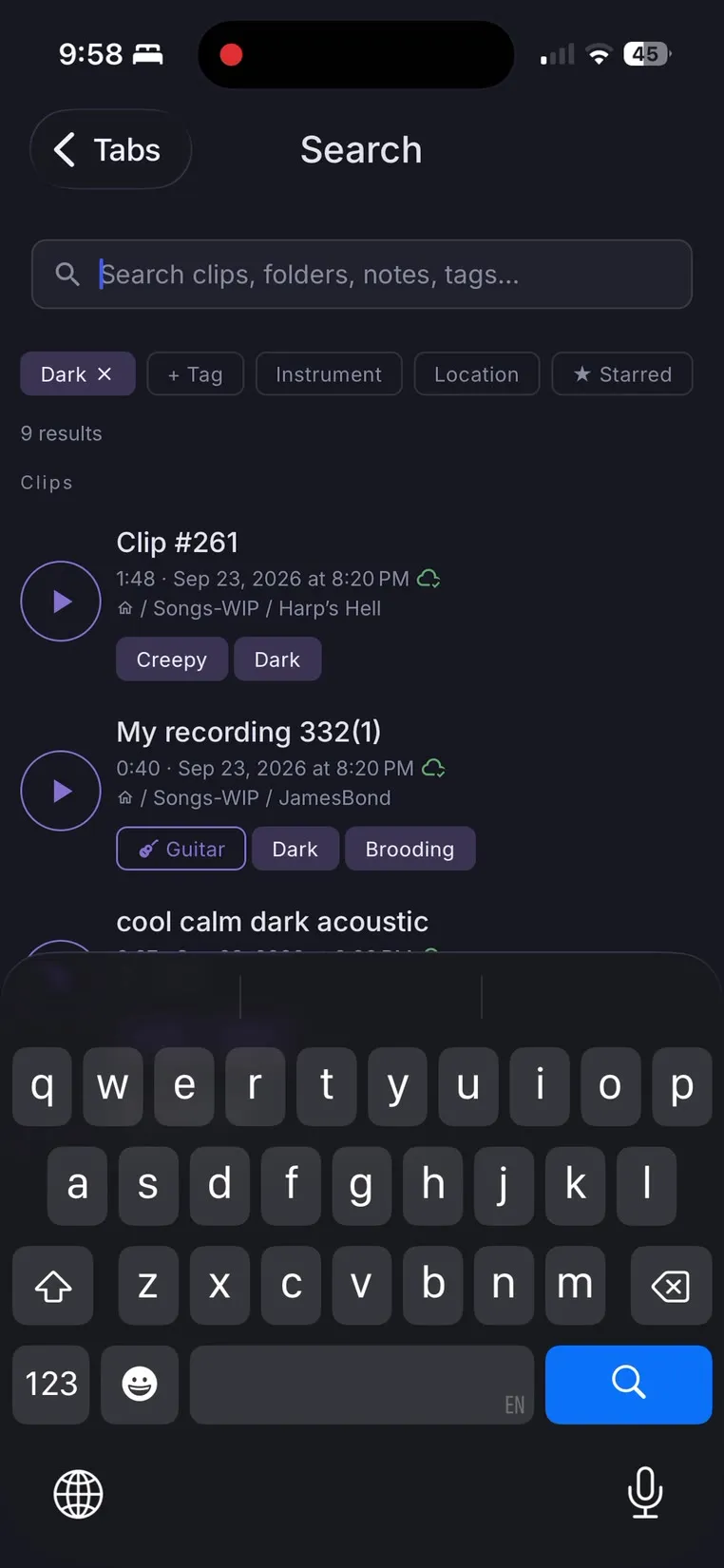
Find it as easily as you saved it.
Browse your folders, or filter by tag, mood, instrument and location to narrow hundreds of clips down to the one you were humming in the car last spring.
Works offline. Syncs when you’re back.
Fully usable offline
Record, organize and search with no signal: on the road, in the rehearsal room or backstage.
Seamless multi-device sync
Clips, notes, tags, folders and everything else stay in step across your devices with Sync, on a battle-tested sync system.
Backups you own
Back up your entire library as often as you like, in a format that can be read anywhere.
Easy import
Bring in voice memos and audio you already have, and organize them like anything you’ve recorded.
Choose your plan
Your first 100 clips are free. Buy Pro once and keep it.
Free
- Every featureFirst 100 clips
- Record, play and back upAlways
- Offline use
- Sync between devices—
Pro
- Everything in Free
- Unlimited clips
- All future updatesIncluded
Questions
Does MuziMemo work without an internet connection?
Yes. Everything works offline: recording, organizing, tagging and searching. Changes sync to your other devices the next time you’re connected.
Is Pro really a one-time purchase?
Yes. Pay $50 once and every future update is included. Syncing between devices is a separate subscription, $19.99 a year or $1.99 a month, with end-to-end encryption included.
What happens after my first 100 clips?
Nothing stops working. You can keep recording, and every clip you have still plays, opens, edits and shares. After each new clip the app offers Pro, and you can say Not now. Clips in Recently deleted and overdub layers don’t count, and backups are always free.
What does Sync cost, and what if I stop?
$19.99 a year or $1.99 a month, on top of Pro. End-to-end encryption is included at no extra cost. If your subscription ends, sync stops: your library stays on every device, you can still back it up, and we never delete the copy on our servers without emailing you and giving you at least 30 days to download it.
What format are backups in?
Backups cover your entire library and use a format that can be read anywhere, so your recordings and notes are never locked into the app. Make one as often as you like.
Can I import recordings I already have?
Yes. Import existing audio into MuziMemo, then file, tag and search it like anything you recorded in the app.
How does location tagging work?
Each clip is tagged automatically with the place it was recorded, so you can filter your library by where an idea came to you.
Which platforms is MuziMemo on?
Mac, Windows and Linux today, as a desktop app, from the download section below. iPhone is coming to the App Store, and Android after that.
Your next idea is on its way.
Be ready to record it.